A special type of thank you for Affinity V1/V2 users
The new Affinity is free for everyone to download, but we’re also gifting something else to our early supporters...
Affinity wouldn’t be here without the creatives who’ve backed us from the start. Since launching our first app in 2014, your feedback and ideas have been the driving force behind everything we’ve built. Every update, every improvement, and every new feature has been shaped by your input. We’re endlessly thankful for your support and for helping us make Affinity what it is today.
So to celebrate the launch of our new app – and to say thanks to our long-standing community – we’re giving those who previously purchased Affinity a curated collection of premium fonts, free of charge.
The Fontsmith Collection: a library of high-end fonts to use in Affinity
We know how much the right font can elevate a project, but we also know that professional, custom fonts are often out of reach for most creatives because of high licensing costs. So we’ve curated something special: a premium font library for early Affinity users to install for free.
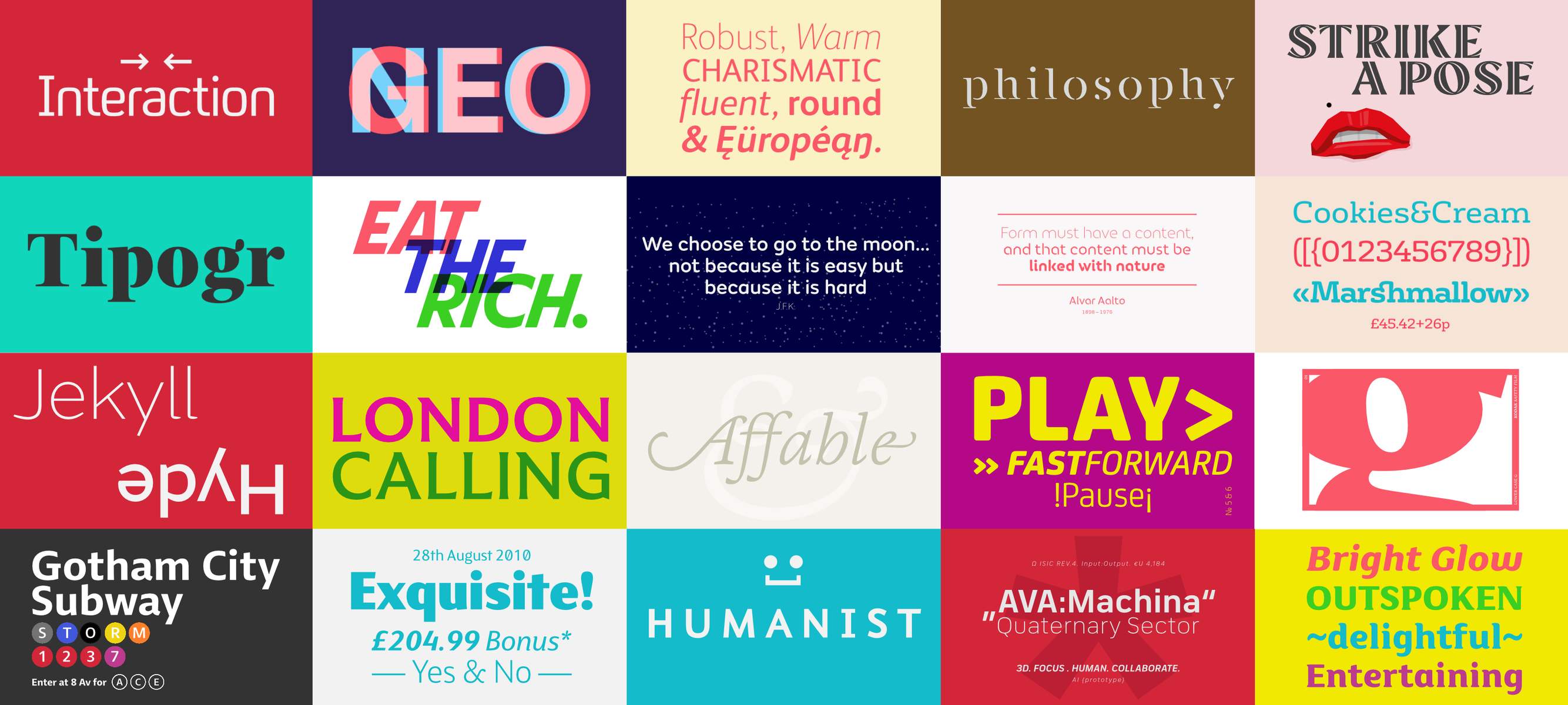
Consisting of 450 font styles from 60 font families, the Fontsmith Collection for Affinity is a work of art in its own right. Expertly crafted by a team of talented type designers, every font is meticulously made, full of character, and ready to set the tone for whatever story you’re telling. There’s something for every type of text and every sort of project (and yes, you can use the fonts for both personal and commercial work!).
Here’s a list of everything you’ll get, followed by a preview of some of our favorites:
- FS Albert Pro · 9 styles
- FS Albert Pro Narrow · 9 styles
- FS Aldrin · 13 styles
- FS Alvar · 3 styles
- FS Benjamin · 12 styles
- FS Blake · 8 styles
- FS Brabo · 12 styles
- FS Clerkenwell · 4 styles
- FS Conrad · 2 styles
- FS Dillon · 6 styles
- FS Emeric · 22 styles
- FS Industrie · 14 styles
- FS Industrie Cd · 14 styles
- FS Industrie Ex · 14 styles
- FS Industrie Nw · 14 styles
- FS Industrie Wd · 14 styles
- FS Ingrid · 6 styles
- FS Irwin · 12 styles
- FS Jack · 9 styles
- FS Joey Pro · 10 styles
- FS Kim · 10 styles
- FS Kim Inline · 2 styles
- FS Kim Text · 10 styles
- FS Kitty · 5 styles
- FS Koopman · 13 styles
- FS Lola · 10 styles
- FS Lucas · 18 styles
- FS Maja · 4 styles
- FS Millbank · 8 styles
- FS Millbank Icons · 1 style
- FS Millbank Negative · 8 styles
- FS Neruda · 10 styles
- FS Ostro · 11 styles
- FS Pele One · 2 styles
- FS Pele Two · 2 styles
- FS Pimlico · 7 styles
- FS Rome · 1 style
- FS Rufus · 6 styles
- FS Sally · 10 styles
- FS Sammy · 1 style
- FS Shepton · 3 styles
- FS Siena · 14 styles
- FS Silas Sans · 10 styles
- FS Silas Slab · 10 styles
- FS Sinclair · 8 styles
- FS Sophie · 6 styles
- FS Split Sans · 6 styles
- FS Split Serif · 6 styles
- FS Truman · 6 styles
- FS Untitled · 24 styles
- SC Angelo · 1 style
- SC Brandt · 1 style
- SC Brockman · 1 style
- SC Corbin · 1 style
- SC Herman · 1 style
- SC Hylandia · 1 style
- SC Mogal · 1 style
- SC Thanks · 1 style
- SC Vincent · 2 styles
- SC Yorkton · 1 style
How to unlock the Fontsmith Collection in the new Affinity
(See FAQs for details of how to install in Affinity v2)
1. Open Affinity and the User Account menu
On Affinity's Welcome screen, click your name at the top left, then select Advanced > Link Affinity ID.(If you don't see the Welcome screen, click the Affinity logo at the top left of the app.)
2. Link your Affinity account
Sign in to your Affinity account using the email address and password you used to make your previous purchase (or used to register a purchase made from an app store).
Note: This may be different from the Canva account you used to activate your new Affinity license.
3. Access The Fontsmith Collection
Once your Affinity ID is linked, open the User Account menu and go to Advanced → Manage Purchased Content. You will find The Fontsmith Collection tab alongside any previously purchased content.
Open the tab, choose the fonts you’d like to install, and start experimenting with your new library of fonts!
FAQs
Can I use the fonts for commercial purposes?
Yes! Please refer to the license agreement for full terms.
Can I use these fonts in any version of Affinity? What about in other software?
You’ll be able to access them in the new Affinity app and Affinity V2.
How can I unlock the Fontsmith Collection in Affinity V2?
- On your V2 app’s Welcome screen, select Account. (If you don’t see the Welcome screen, click the Account icon at the top right of the app.)
- If you haven’t already, sign in to your Affinity account using the email address and password you used to make your purchase (or used to register a purchase made from an app store).
- Once your Affinity ID is linked, you will find The Fontsmith Collection tab on the right side of the Account screen, alongside any previously purchased add-ons. Select the tab, choose the fonts you would like to install, and start experimenting with your new library of fonts!
What do I do if my previous purchases of Affinity aren’t showing in my account?
If you can’t find a previous purchase of Affinity under your Affinity account, it’s possible that you bought the product from the App Store or Microsoft Store and didn’t register it with us. Once you register Affinity V1 or V2 purchase, the associated fonts will automatically be applied to your account for easy access in both Affinity V2 and the new Affinity app.
Please reach out if you’re having any issues, we’re happy to help!
I forgot to register my Affinity V1/V2 purchase? What do I do?
For Affinity V2 users:
If you purchased Affinity V2 through a third-party app store (Mac App Store, iPad App Store, or Microsoft Store), you’ll be prompted to create or sign in to an Affinity ID after your initial in-app purchase. If you skipped that step, you can register later by selecting Account on the toolbar (desktop) or from the New Document dialog.
After signing in or creating an account, your fonts will automatically sync to your Affinity account for use in Affinity V2 and the new Affinity app. Just make sure you have an internet connection the next time you open either version.
To use these fonts in the new Affinity app, you’ll need to link your Affinity ID to your Canva account outlined above.
For Affinity V1 users:
When you first open the app, a registration window appears. If you skipped it, you can reopen it by selecting My Account on the toolbar. Sign in with your existing Affinity ID or create a new one. This will register your purchase.
Please note that the fonts cannot be accessed in V1, so to use these fonts, you’ll need to download the new Affinity and link your Affinity ID to your Canva account.
I recently downloaded a free version of Affinity. Can I claim The Fontsmith Collection?
This offer is only for customers who purchased Affinity before November 1, 2025.


