Affinity for iPad is here!
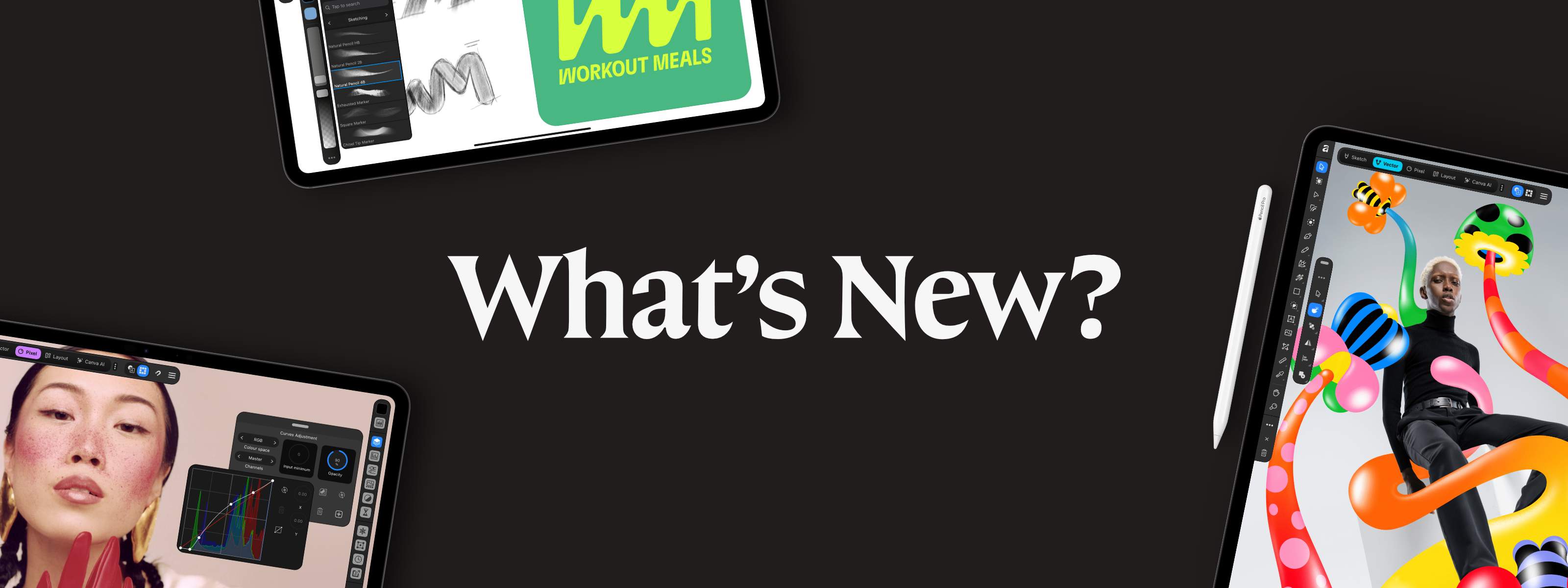
When we launched the all-new Affinity on desktop, one question came almost immediately: when iPad? It’s been our biggest request ever. So we listened, and we’ve been building it with creatives like you in mind. Now, it’s here.
Affinity for iPad brings vector design, photo editing, page layout, and sketching together in one powerful app, built for touch and Apple Pencil. And it's completely free for individuals.
One app to craft it all, from anywhere at all
Creative work on iPad has often meant jumping between apps, then heading back to your desktop to finish the job. Affinity for iPad brings everything together in one .af file, keeping every part of your project in one place.
Sketch ideas, develop RAW files, edit vectors node by node, take full control of type and layout, then send it straight to print, all without switching between programs or stitching files back together. And because it's built for touch, every curve snaps into place under your fingertip or Apple Pencil.
Whether you're on a shoot, in a client meeting, back at the studio or halfway up a mountain if that's your thing, your entire creative workflow is right there with you.
Sketch freely, shape precisely
The new Sketch Studio gives you a dedicated space to explore ideas, whether you're scribbling out a logo mid-meeting or developing a detailed illustration.
Grab your Apple Pencil or use your finger to draw, experiment with brushes and textures, or build up your sketch in layers. Tilt your Apple Pencil to shade a line, roll the barrel to change your stroke, or use Smudge to soften and blend the details.
When you're ready to refine, switch straight to Vector Studio and start shaping your sketch with professional curve and node tools. Drag a curve handle into place, adjust individual nodes with Apple Pencil, or pinch to zoom into the smallest details.
From rough ideas to production-ready vector artwork, everything stays in the same file, with every adjustment updating in real time.
Full photo editing power on iPad
From fine-tuning RAW files to building complex composites, Affinity brings the full power of desktop photo editing to iPad.
Pixel Studio gives you a hands-on, live-editing experience that lets you reach in, refine the tiniest details, and keep pushing the image exactly where you want it to go. Use Apple Pencil to paint masks around tricky edges, brush in adjustments, or remove unwanted objects with Inpainting. Every edit updates live, so you can see your changes as you work.
And because editing is non-destructive, you're free to experiment. Build detailed composites with thousands of editable layers, adjust masks, revisit RAW settings, or change your mind entirely, all while keeping your original images intact. You can even save your undo history with the file, so there's always a way back.
Whether you're stitching panoramas, focus stacking product shots or working with thousands of layers, Affinity for iPad keeps up, even on 100MP+ files.
Pro page layout, wherever you are
Got a brochure, lookbook or even a full-length book to put together? Affinity for iPad gives you everything you need to create professional, print-ready layouts.
Use touch or Apple Pencil to place grids, guides, text, and images with precision, or sketch out a spread and add hand-drawn details directly on the page. With live previews, you can refine every element in your document and see your changes as you work.
For longer projects, Smart Master Pages, shared text styles and AutoFlow help keep everything consistent, while advanced typography controls let you fine-tune every detail, right down to the spacing between letters.
With professional color control and print-ready export options, you can complete the whole project on iPad, without heading back to your desktop.
An iPad app that can keep up with you
Working with thousands of layers? No problem. Want to make detailed edits at 1,000,000% zoom? Go for it.
Built for iPad from the ground up, Affinity handles huge files at full speed. Create at up to 120fps and pinch-zoom through complex artwork without a stutter.
Paint a detailed edit exactly where your Apple Pencil touches down, with pressure, tilt and gestures responding as your hand expects. Every adjustment, filter and layer effect updates live, so you can keep building on an idea, even when you're offline. It's the speed and precision of desktop, made to move with you.
Your PSDs are welcome here
Already have projects in progress? Bring them along.
Affinity for iPad supports professional formats including PSD, AI, INDD, IDML, PDF and SVG, making it easy to open existing work with layers and document structure preserved.
Whether you’re continuing your own work or collaborating with others, everyone can open, edit, and build on the same files with ease.
AI that respects your craft
Some creative tasks deserve your full attention. Others you'd rather get out of the way.
Canva AI Studio handles the jobs nobody really wants: clearing grain, rescuing a blurry shot, cutting out a background. You stay in control of every result, using live adjustments to dial in each fix until it's exactly right, before getting straight back to the work you love.
Your local Affinity files aren't used to train AI features, and you can manage your preferences for content you choose to upload to Canva.
Canva AI Studio requires a Canva premium plan. All core sketching, vector design, photo editing, and page layout tools are free.
Get Affinity for iPad today
True creative freedom is what we've always wanted: the freedom to experiment, push ideas further, and focus on the craft without anything getting in the way.
So we created something that lets you do just that. Something that enables you to create the highest quality work — anywhere — without the high costs.
Affinity for iPad is completely free for individuals.


