More time for your craft: From Scripting to AI automation with Claude
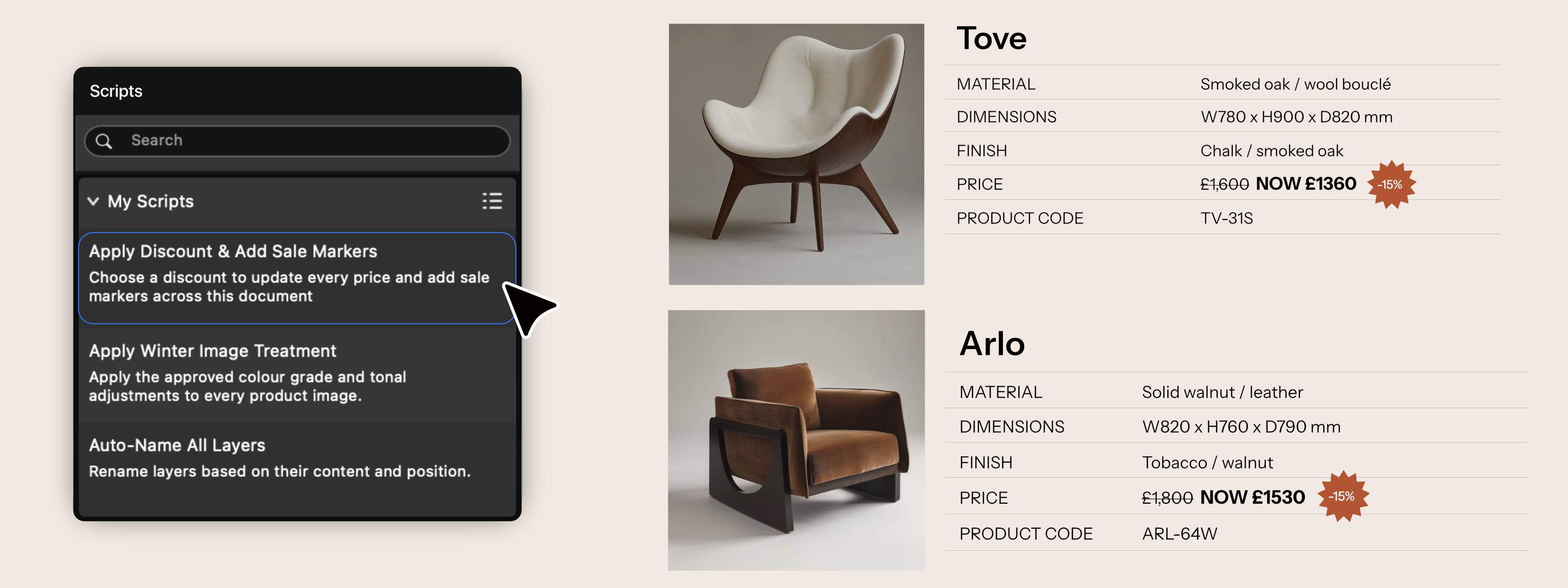
Production work has a habit of eating into creative time. The same treatment applied across a shoot. The same layout rebuilt for different markets. The same update rolled through hundreds of pages. Necessary work, sure. Creative work? Not so much.
That’s why we’ve brought automation into Affinity, including AI where it earns its place: taking on more of the tedious work so you can stay focused on the craft.
Save yourself time with Affinity’s new automation features. One of the top community requests, in-app scripting gives you the power to write a script directly in Affinity and run it across vector, pixel, and layout work in one go. No scripting experience? The AI Connector for Claude can help create the script for you. Automate the production work once, share it with the team, and put the hours that would’ve gone into production back into the craft.
Scripting: Flip the script on repetitive work
Scripting has been one of our most requested features, and we’re delighted to put it in your hands. Our Designer Advisory Board and beta community have been putting it through its paces too, helping us shape Scripting around the production work creatives actually want to automate.
And because Affinity brings photo editing, vector design, and page layout into one app, one script can reach across all of it. Develop product shots, build spec tables, generate dimensioned drawings, and lay out pages in the same document, without your automation stopping every time the work changes discipline.
And the whole scripting experience lives inside Affinity too. Write and run scripts with the built-in editor, keep them ready to go in the Scripts Panel, and start from a library of examples if you don’t want to begin from scratch. Scripts can even have their own dialogs, turning a repeated process into a reusable tool that feels part of Affinity rather than something bolted on around it.
Scale it up, and the time savings get big fast. Develop 400 product shots, build 400 spec tables, generate 400 dimensioned drawings and lay out 400 pages, all in one app, in one afternoon.
And when the work changes, you don’t start over. A new brand direction or pricing update? Run it again. Same for the next photo library or report edition. Things that might take weeks of work, done in hours. It keeps production moving while you control the creative.
AI Connector for Claude: Turn words into workflows
No scripting experience? Connect Claude to Affinity and automate repetitive tasks using natural language — freeing up time for the work that matters.
Describe a process once, and Claude builds a reusable script, ready to run whenever you need it. From batch editing to print prep, workflows run in the background while you keep creating.
You can even create entirely new tools and workflows, expanding what’s possible in Affinity. Want to see what that looks like in practice? Discover 7 ways to automate tedious design tasks with Affinity and Claude.
AI that respects your craft
We've only brought in the AI that earns its place. It speeds up the tedious parts and leaves the creative decisions to you. Most of this release is free to use, including all your core photo, vector and layout tools. To use the AI, the Canva AI Studio is unlocked with a Canva premium plan, and you can see its full list of features here.
See what else is new
This release brings over 60 new features and improvements to Affinity. Keep exploring with Blend Tool and more features built for finer creative control, or faster ways to develop and refine your photography. For a full list of what’s been added, head to the release notes.


